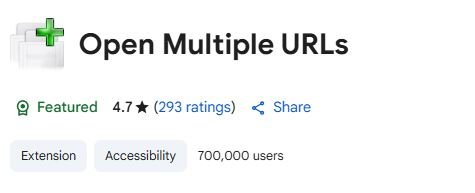
In the digital world, opening dozens of tabs is a common daily task for marketers, researchers, students, developers, and anyone who works with multiple links. Doing this manually is time-consuming and repetitive. That’s exactly why the Open Multiple URLs Chrome extension exists. With over 700,000 users and a high 4.7-star rating, this tool has become a favorite for anyone wanting to open a large set of URLs instantly.
Whether you’re working on SEO audits, backlink checks, research projects, or simply saving time during daily browsing, this extension helps streamline your workflow. In this in-depth guide, you’ll learn what Open Multiple URLs does, why it’s useful, how to install it, how to use it effectively, and why so many people rely on it.
What Is Open Multiple URLs?
Open Multiple URLs is a free Chrome extension that allows you to open a list of URLs all at once, in separate tabs, with just one click. Instead of copying and pasting links one by one into the browser, you simply paste all of them together into the extension’s input box, and it automatically opens them.
It’s a simple but incredibly powerful productivity tool. Its main features include:
- Opening multiple links at the same time
- Supporting both HTTP and HTTPS formats
- Accepting plain text or formatted lists
- Automatically detecting links even when mixed with other text
- Working quickly even with large batches of URLs
- Allowing users to open URLs in new tabs or new windows
The extension is extremely lightweight and easy to use, making it perfect for people who need speed and efficiency while working online.
Who Should Use Open Multiple URLs?
The extension is helpful for anyone who deals with multiple links regularly. Examples include:
1. SEO Professionals
SEO experts often need to open dozens—or even hundreds—of URLs to check:
- Backlinks
- Competitor pages
- Audit lists
- Indexing issues
This extension saves hours of manual work.
2. Digital Marketers
Marketers reviewing campaign tracking links, landing pages, or promotional URLs can open all links simultaneously, improving productivity.
3. Students and Researchers
Research often involves checking many academic sources, websites, or articles. This extension reduces repetitive tasks.
4. Developers & Testers
Web developers often test multiple staging URLs or feature links. Opening them in bulk speeds up debugging.
5. Bloggers & Content Creators
Creators can open references, sources, citations, or keyword research links instantly.
6. Anyone Who Wants to Save Time
Even everyday users benefit if they often open multiple saved bookmarks, notes, or copied links.
Why Open Multiple URLs Is Useful
This extension saves time, removes repetitive tasks, and improves workflow efficiency. Here are the major advantages:
1. Massive Time Savings
Opening 20–100 URLs one by one wastes time. With this tool, you open everything instantly.
2. Helps With SEO & Website Audits
SEO tasks usually involve checking many pages. This extension accelerates audits significantly.
3. Reduces Human Error
Copy-pasting URLs individually increases the chance of mistakes. A batch operation is cleaner and safer.
4. Supports Mixed Content
Even if URLs are mixed with other text—notes, comments, spreadsheets—the extension detects and extracts them.
5. Easy to Use
No technical skills needed. Just paste and click.
6. Perfect for Bulk Testing
Ideal for:
- Tracking links
- Ad landing pages
- A/B test variations
- Server response checks
7. Works Offline With Saved Lists
You can save your URL lists and open them anytime.
How to Install Open Multiple URLs
Installing this extension takes less than a minute.
Step-by-Step Installation Guide
- Open Google Chrome.
- Go to the Chrome Web Store.
- Search for “Open Multiple URLs”.
- Click Add to Chrome.
- A popup will appear — click Add Extension.
- After installation, click the puzzle icon (Extensions menu) in Chrome.
- Click the pin icon to keep the extension visible in your toolbar.
That’s it — the extension is now ready to use.
How to Use Open Multiple URLs
Using the extension is extremely simple. Here’s the complete guide:
1. Copy Your List of URLs
You can copy:
- Plain URLs
- URLs inside text
- A list from Excel or Google Sheets
- Mixed content (the extension detects links automatically)
Example input:
https://example.com/page1
https://example.com/page2
Check this page: https://example.com/page3
2. Click the Extension Icon
The extension opens a small interface with a text box.
3. Paste Your URLs
Paste the entire list into the box. The extension identifies all valid links.
4. Click “Open URLs”
All the links will open instantly in separate tabs.
5. Choose Opening Options
Depending on the version, you may also:
- Open URLs in a new window
- Open URLs in the same window
- Clear the list after opening
- Remove duplicate links
- Filter invalid URLs
6. Optional Settings
Some versions allow you to:
- Open URLs with delay (to prevent browser overload)
- Limit the number of simultaneous tabs
- Save lists for later use
Best Practices for Using Open Multiple URLs
To make the most out of this extension, follow these tips:
1. Avoid Opening Too Many Tabs at Once
Opening 200+ tabs can cause Chrome to slow down. Consider splitting your list into smaller batches.
2. Remove Duplicates First
Duplicate URLs waste time and resources. Use the built-in “remove duplicates” feature.
3. Use Saved Lists
If you frequently open the same URLs, store them in a document for quick access.
4. Combine It With SEO Tools
Pair this extension with tools like:
- SEO META in 1 CLICK
- Ahrefs
- Screaming Frog
- Moz
- Google Search Console
This makes auditing extremely efficient.
5. Use It for Research Projects
If your work requires reading from many sites, open them all with one click instead of one by on
Summary
Open Multiple URLs is a powerful Chrome extension designed for anyone who frequently works with large sets of web links. With over 700,000 users and excellent reviews, it has become one of the most trusted tools for productivity and research. The extension allows users to paste a list of URLs—whether plain or mixed with text—and open them all at once in separate tabs. This eliminates repetitive tasks and saves a significant amount of time.
It’s particularly useful for SEO professionals, digital marketers, developers, researchers, content creators, and students. Whether you’re checking backlinks, reviewing landing pages, testing multiple website features, or conducting large research projects, this extension speeds up your workflow. Installation is simple: just add it from the Chrome Web Store and pin it to your toolbar. Using it is equally easy—paste your URLs, click “Open URLs,” and all links open instantly.
By reducing manual effort, preventing errors, and enhancing efficiency, the extension has become a must-have tool for daily online tasks. It is perfect for bulk operations, quick audits, and fast research, making it one of the most valuable productivity tools available in the browser environment.
Conclusion
The Open Multiple URLs extension is an essential tool for anyone who regularly works with multiple links and wants to save time while improving workflow efficiency. Its ability to open dozens of URLs at once not only eliminates repetitive tasks but also increases productivity for SEO specialists, digital marketers, students, developers, and researchers. By simplifying bulk URL operations and reducing human error, the extension makes everyday tasks faster, cleaner, and much more organized. Installation is simple, usage is straightforward, and the benefits are immediate—making it one of the most reliable and effective tools in the Chrome Web Store. In a world where speed and efficiency matter, Open Multiple URLs stands out as a must-have productivity extension that transforms the way users work with links and online content.